Fifteen endpoints for talking to NetSuite from your local machine.
Same auth, same shape, same shared secret. Sample responses below
are illustrative — exact field values vary by account.
Base URL and authentication
The Chartstone server binds to http://127.0.0.1:<port>
where <port> is the port shown in the control panel
(you can pin it under Local HTTP server → Port).
Every request requires a Bearer token — your shared secret, visible
in the same panel.
Auth header
Authorization: Bearer <your-shared-secret>
Requests without a valid token return 401. Requests to
a disabled endpoint return 403. Lite-tier callers that
exceed the per-launch counters return 429 with the same
usage headers described below.
All JSON endpoints accept Accept: application/toon for a
token-optimized response format that's 25–50% cheaper to feed to LLM
contexts.
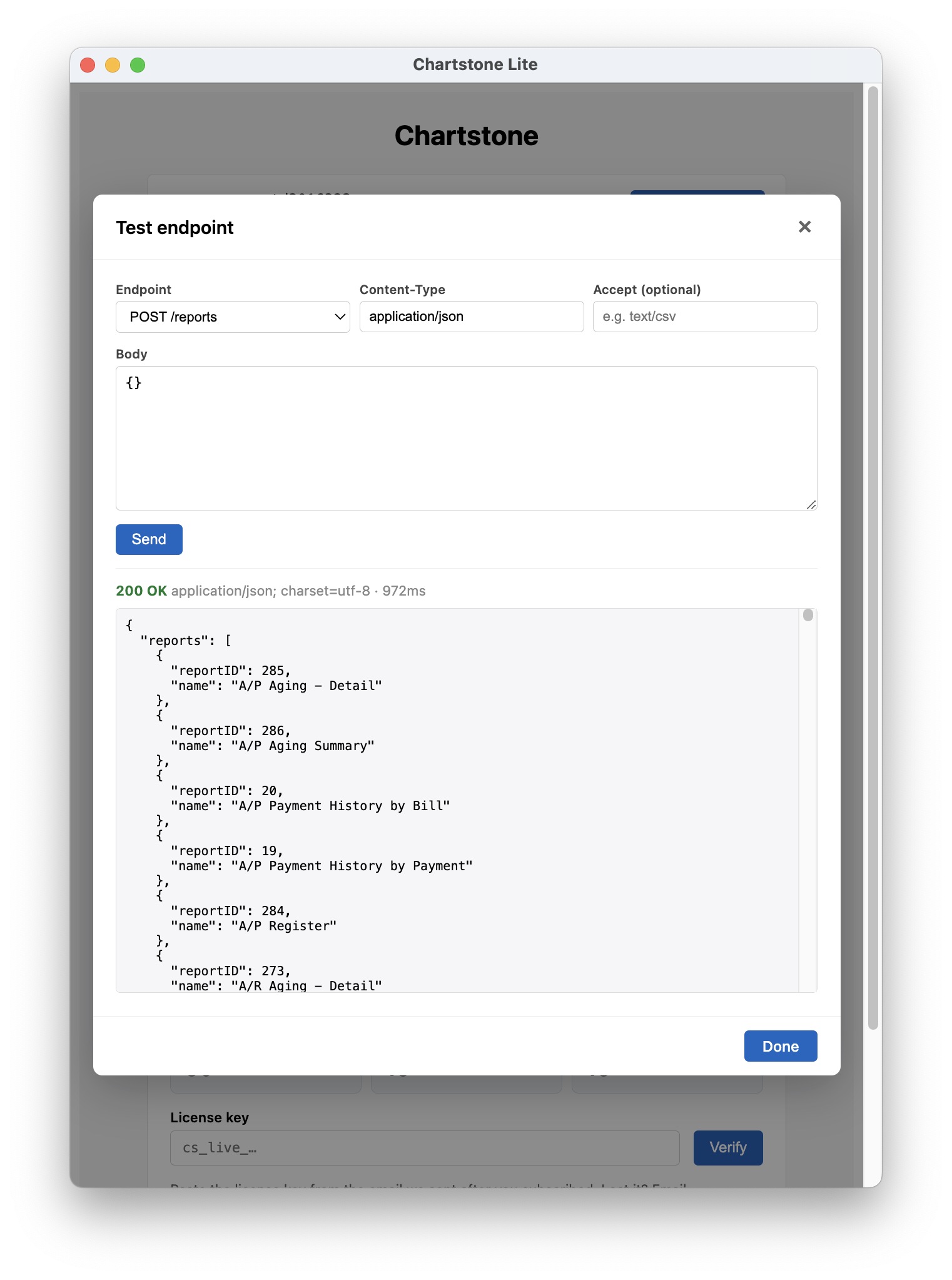
Before writing a single line of client code, you can hit any
endpoint right from the control panel. The Test
endpoint dialog (Local HTTP server →
Test…) sends a real request through the same auth
and returns the live response — useful for confirming that
your shape, body, and Accept headers are right.
Response headers
Every response — including /health, error responses, and
429 rate-limit replies — carries a set of usage headers
so callers can budget their calls and detect tier without parsing the
body.
Usage headers (every response)
X-MaxQueries:    30          # cap for /suiteql
X-QueriesRun:    7           # /suiteql calls used this launch

X-MaxReports:    15          # cap for /search, /report, /report-info
X-ReportsRun:    2           # …calls used this launch

X-MaxScripts:    15          # cap for /restlet and /script
X-ScriptsRun:    0           # …calls used this launch

X-ScriptsEnabled: true       # whether /script is enabled under Endpoints → Manage
A Max value of 999999 means unlimited —
that's the Pro tier. Lite values are 30 / 15 / 15
per app launch (counters reset each time the user relaunches
Chartstone). When any X-*Run equals its
X-Max* counterpart, subsequent calls in that bucket
return 429.
AI agents in particular should call /health on their
first turn — the body lists which endpoints are reachable, and the
headers reveal the per-launch budget so the agent knows whether to
conserve calls or splurge.
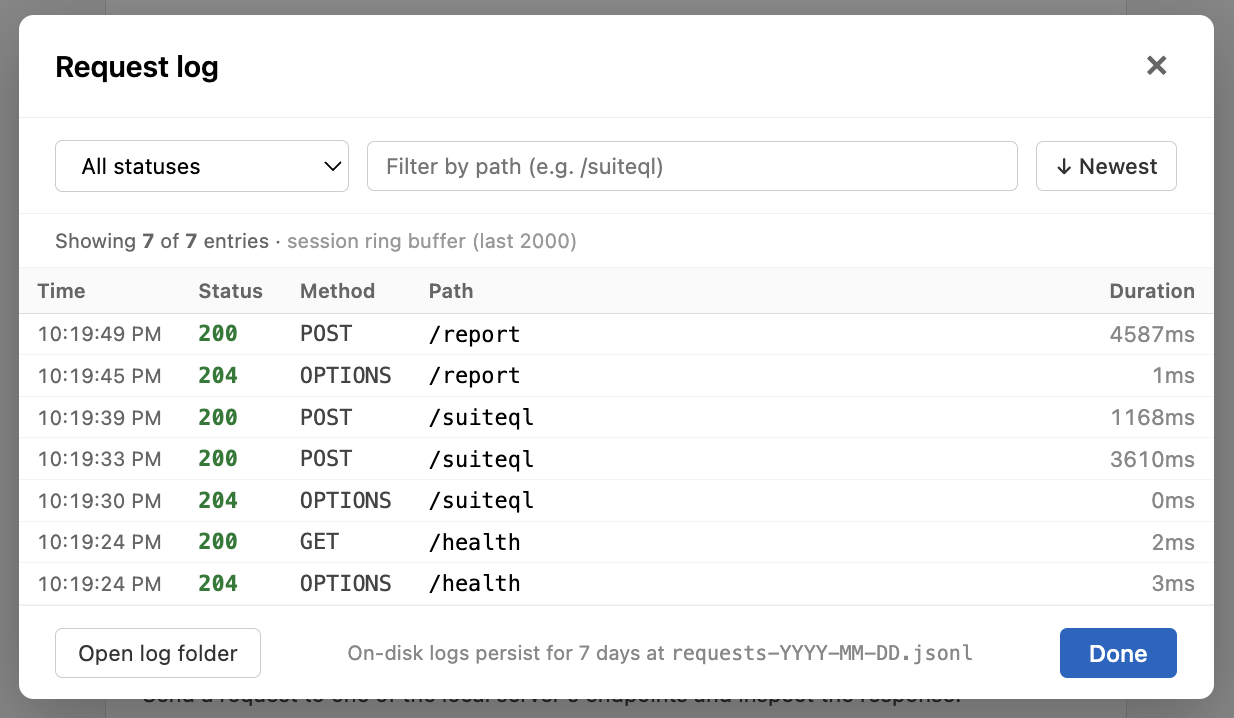
Every request — whether from your script, an AI agent, or the
built-in tester — lands in the in-memory ring buffer and the
on-disk JSONL log. View request log (in the
Local HTTP server card) shows method, path, status, and
duration so you can debug what your client actually sent.
Interactive Swagger UI for the entire API. Paste the URL into a
browser and click any endpoint to inspect its request/response
shape, sample bodies, and headers. /docs/json
returns the raw OpenAPI 3.0 document for machine consumers
(codegen, AI agents that want a typed schema, importing into
Postman / Insomnia / Bruno, etc.).
Open the explorer
http://127.0.0.1:<port>/docs
Fetch the OpenAPI document
curl http://127.0.0.1:<port>/docs/json
No bearer token required for either path. The
documentation is intentionally open to anyone who can reach the
loopback interface — that's only the logged-in user's own
machine. The actual NetSuite-touching endpoints below all still
require the bearer token.
GET/health
Lightweight ping. Returns server port + start time, NetSuite session
presence, and the current per-endpoint gate state. Useful for
clients that want to discover the API surface before calling.
Active NetSuite session context: account, user, role,
environment classification, the role’s NetSuite-side
permission set, and a fresh cookie liveness check. AI agents
and scripts use this on their first turn to plan:
which account am I on? which role? what can my role
actually do? is the session still alive?
Permissions come from a SuiteQL fetch against
RolePermissions that runs once per role per
session, is cached in-process, and is eager-warmed during
the “Use this account” confirm flow — so the
first /session call after confirm is already
populated. The fetch goes through the internal SuiteQL
helper and does not count toward the Lite-tier
queries quota.
active is the convenience boolean — true when an
accountId is configured and a NetSuite
cookie is currently in the jar. Identity fields
(user, role.id, role.name,
envType, companyName,
capturedAt) come from the snapshot taken when
the user last clicked Use this account, so
they can lag if the user changes role inside NetSuite
without re-confirming. sessionActive and
cookieCount are always live.
role.permissions is refreshed on confirm and
held in-process otherwise.
On a permissions fetch failure,
role.permissions is null and
role.permissionsError.reason is one of
permission-denied (the current role can’t
query RolePermissions),
not-logged-in, no-account,
invalid-role-id, or unknown.
Permission levels are NetSuite’s native scale —
0=None, 1=View, 2=Create,
3=Edit, 4=Full.
GET/session/permissions
Chartstone-side permissions for this caller: the active
subscription tier, which endpoints are reachable right now,
and how much of the per-launch usage budget remains. Pure
in-process read; safe to call frequently. Pairs with
/session — that one tells you who you
are; this one tells you what you can do.
usage.{kind}.max is null when
unlimited (Pro) and an integer on Lite. Counters reset on
every app launch. Only /suiteql,
/report, and /script increment
counters; every other endpoint is unmetered on both tiers.
POST/suiteql
Run a SuiteQL query against your NetSuite session. Auto-paginated;
results come back as column-keyed objects.
Request body
{
  "query":   "SELECT id, companyname FROM customer WHERE rownum < 5",
  "maxRows": 50           // optional — caps pagination
}
By default, Chartstone walks every page NetSuite returns up to a
hard ceiling of 500,000 rows (100 pages × 5,000
rows each). Most callers want this — it makes /suiteql
feel like a single call rather than a paging API.
For sampling, exploration, or LLM token budgets, pass
"maxRows": N on the request body (1 to 500,000).
Pagination stops as soon as N rows have been collected.
When the cap kicks in, capReached is true
in the response — your signal that more rows likely exist beyond
what was returned.
pagesRun reports how many NetSuite pages were
actually fetched. navigatedUrl echoes the host page
the hidden window used (your Default script page
preference).
POST/search
Run a saved search by ID. Append filters or override columns via
optional fields on the request body.
Run an ad-hoc SuiteScript snippet supplied as the request body.
The last expression’s value is returned. Disabled
by default — opt in under Endpoints →
Manage.
Under the hood, Chartstone navigates a hidden NetSuite window
to a host page that loads the SuiteScript runtime, then
evaluates your code in that page’s context. The host
must be a record-edit-style URL
(country.nl, customer.nl?id=1,
etc.) — center, dashboard, and portal pages don’t load
the runtime and your script will fail.
Request body (raw script as text)
var runtime = require("N/runtime");
runtime.getCurrentUser().name;
Optional headers
X-Chartstone-Url — NetSuite URL the hidden
window navigates to before running. Must be
https://*.netsuite.com. Override per-call
when the app-wide default isn’t accessible to your
role. The app-wide default is whatever’s set under
Preferences → Script host path
(factory default /app/setup/country.nl?id=US,
which requires Administrator).
X-Chartstone-Modules — Comma-separated AMD
modules to preload (e.g. N/record, N/query).
Once preloaded, your script can use
require('N/foo') synchronously. Send the
literal string none to skip preloading.
Default: N/query, N/search, N/record, N/runtime,
N/url, N/log.
X-Chartstone-Timeout-Ms — Per-call timeout
in milliseconds. Range 1,000–1,800,000. Default 300,000
(5 min).
The response mirrors NetSuite's XML structure converted to JSON —
you'll see ?xml and nsResponse
wrappers, with the actual fields under
data.nsResponse.record.
POST/records-catalog
List record types available in the current account. Useful as a
schema-discovery starting point for AI agents.
The full envelope (action / status /
contentType / json) lets you tell whether
the underlying NetSuite call succeeded independently of HTTP-level
errors. Most callers can read straight from
json.data.
POST/records-catalog/schema
Fetch the field schema for a specific record type. Pass
shape: "headers" for a compact list, or omit it for
full field metadata.
Request body
{
  "recordType": "customer",
  "shape":      "headers"
}
Sample response (abridged — one entry per record type)
Render any NetSuite page in a hidden window and extract the result
as HTML, plain text, or markdown. Useful for scraping pages that
don't have a clean record/RESTlet equivalent.